
Piclio
Image Management & Batch Processing · macOS
Piclio is a local macOS image viewer, manager, and batch processor — a lightweight take on ACDSee / XnView. Fast to open, fast to flip through, and easy to process in bulk, it's built for e-commerce sellers, content creators, and photography enthusiasts who manage large image libraries. Every image is processed locally; nothing is uploaded.
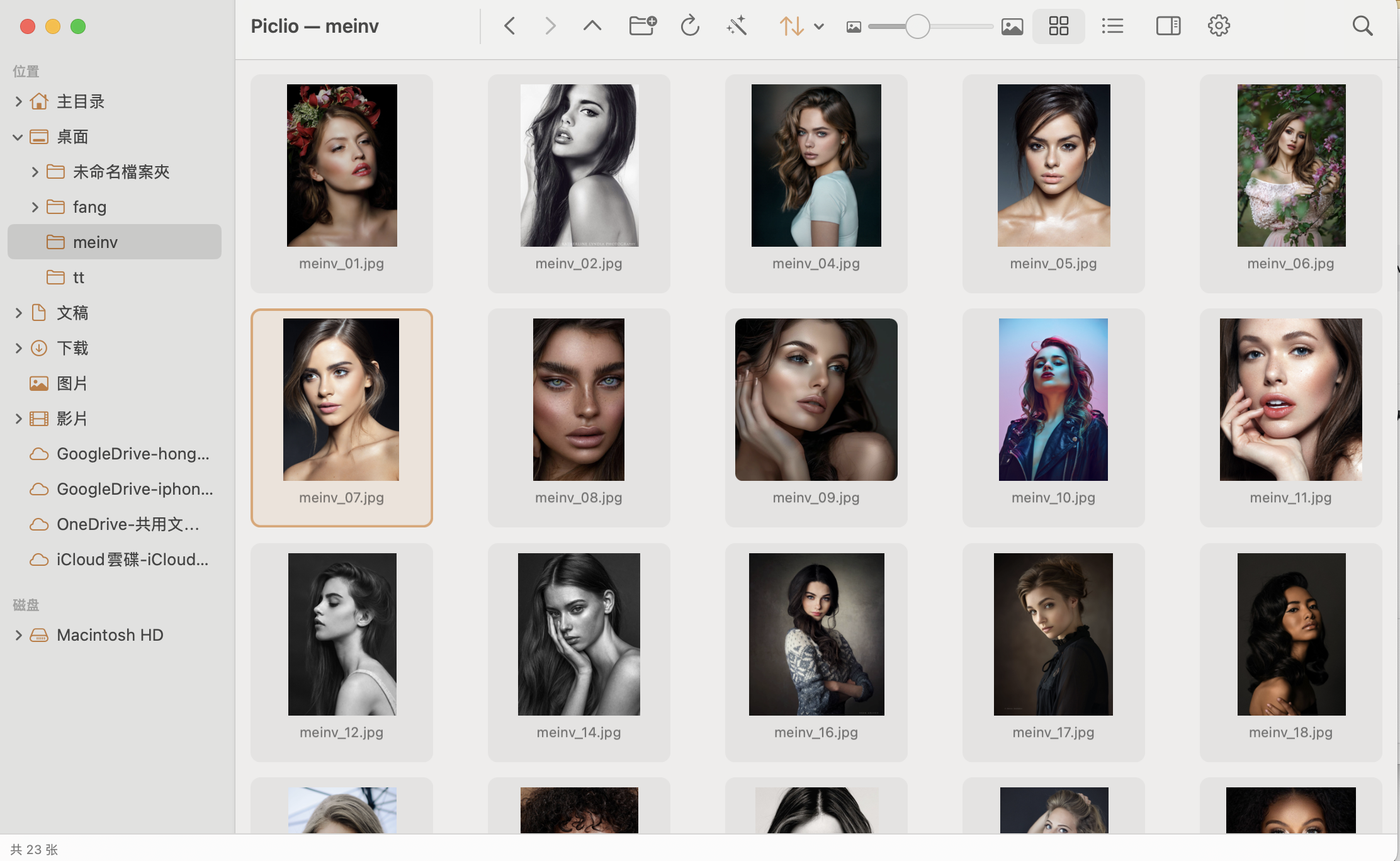
Features
Folder & Thumbnail Browsing
Pick a folder and get an instant thumbnail grid. Supports JPG / PNG / HEIC / WebP / GIF / TIFF plus common RAW previews. Opens fast, flips fast.
Large-Image Viewing & Zoom
Double-click for full view, arrow keys to move between images, scroll to zoom, fit-to-window or actual size — smooth and responsive.
Batch Processing
Batch convert (JPG / PNG / WebP / HEIC / TIFF / AVIF), resize, compress, rename, and rotate — then export a whole set at once.
Bulk Watermark / Logo
Overlay logos or watermarks across an entire set. Multi-layer, 3×3 anchor positioning, and opacity control; save common setups as presets with live preview while batching.
Editing & Markup, Non-Destructive
Crop, rotate, brightness / contrast / saturation, one-tap enhance, plus arrow / rectangle / ellipse / text markup. Originals are kept by default — save a copy or overwrite; deletes always go to the Trash.
EXIF Info & Side-by-Side Compare
The info panel shows filename / dimensions / size / format / date plus EXIF such as camera / lens / ISO / aperture / shutter / focal length. Compare two images side by side with synced zoom and pan.